
Substack and Google: I Just Fixed This Today, and Here’s Exactly How (for Luddites like me)
Good advice, one missing step, and what I think I’ve landed on

I’ve just spent the last hour going down a rabbit hole (because I’m meant to be studying, of course) about SEO and Substack, and I came out the other side having actually fixed something. So I’m writing this while it’s fresh, in case it saves you the confusion I had.
It started with this post by Julie Michelle Morris . If you haven’t read it, go and read it first, it’s excellent and it’s what prompted everything I’m about to tell you. I want to build on it rather than repeat it, and specifically to fill in a couple of steps that had me momentarily stumped (maybe I should have titled this SEO For Dummies?).
The short version of what Julie explains: Substack actively blocks Google from ranking your content if your publication is smaller. You’re not just invisible, you’re being kept invisible, at least until you hit a certain threshold. The fix involves connecting your Substack to Google Search Console, which is Google’s free tool for telling it your site exists and what’s on it.
Here’s where I found myself confused, and what I did about it.
First, check if you have the field.
In your Substack dashboard, go to Settings, scroll almost to the bottom, and look for Analytics. Somewhere in there you should see a section called Google Site Verification with a field asking for a meta tag.
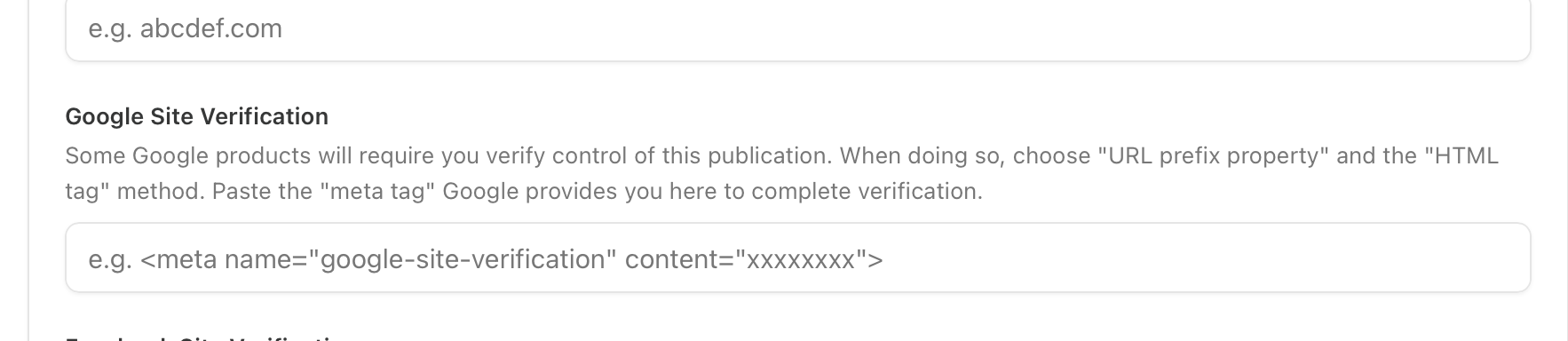
If you don’t see this field, it likely means your publication hasn’t hit Substack’s threshold yet, not enough subscribers or not enough editions published. Keep going, and check back later.
If you do see it, here’s what you do next.
Step 1: Go to Google Search Console
Head to search.google.com/search-console and click Get Started. You’ll need to be signed into a Google account.
Step 2: Add your Substack as a property
Click Add Property. Choose URL Prefix (not Domain). Enter your full Substack URL, for example https://yourname.substack.com. Click Continue.
Step 3: Get your verification code
Google will offer several verification methods. Scroll down to Other verification methods and select HTML tag. You’ll see a line of code that looks like this:
<meta name="google-site-verification" content="xxxxxxxxx">
Copy the whole thing. Don’t close this tab.
Step 4: Paste it into Substack
Go back to your Substack settings, find that Google Site Verification field, and paste the code in. Save.
Step 5: Go back to Search Console and verify
Switch back to the Search Console tab you left open (this is the step that confused me — you’re just switching tabs, not starting again). Click Verify.
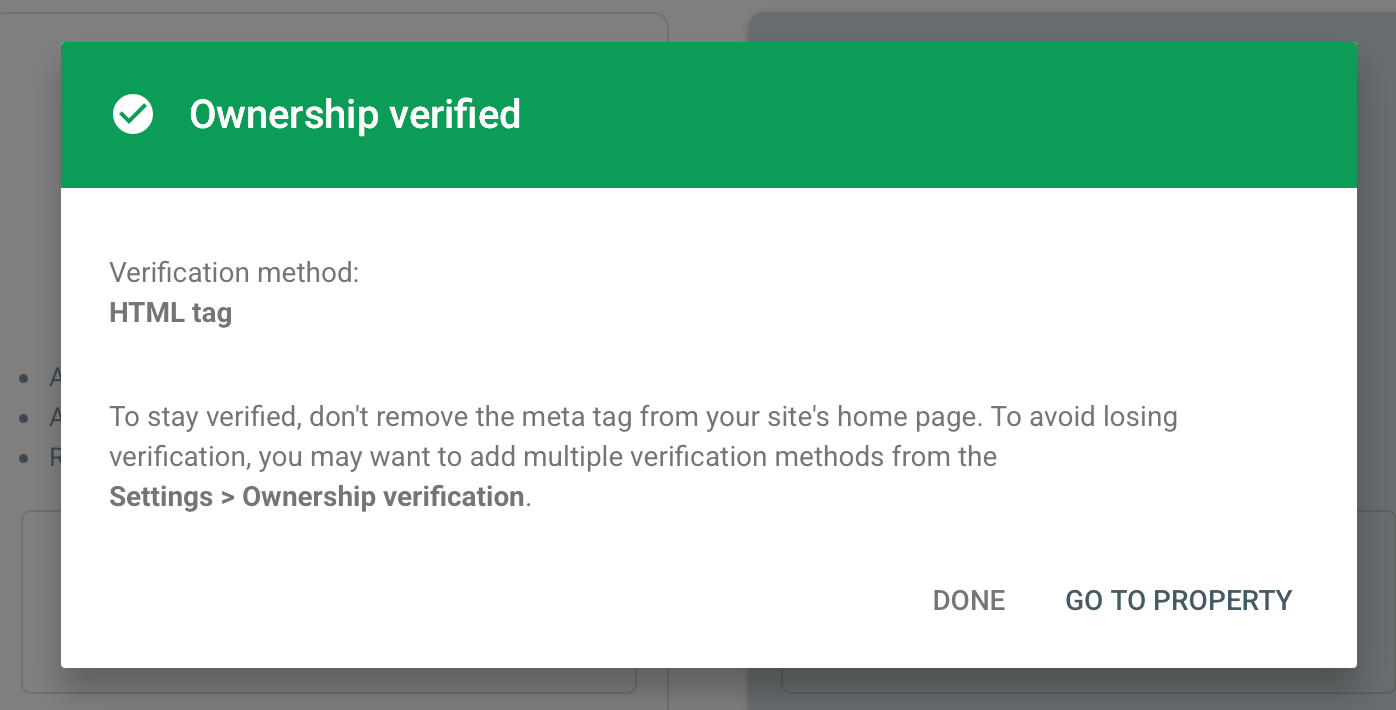
That green screen is a very satisfying moment. You’re done with that part.
Step 6: Submit your sitemap
This is the step that needed more explanation than I found. Still in Search Console, look at the left sidebar. Under the Indexing section, click Sitemaps. You’ll see a box that says “Add a new sitemap.” Type sitemap.xml into it and click Submit. That’s it — that’s the whole step.
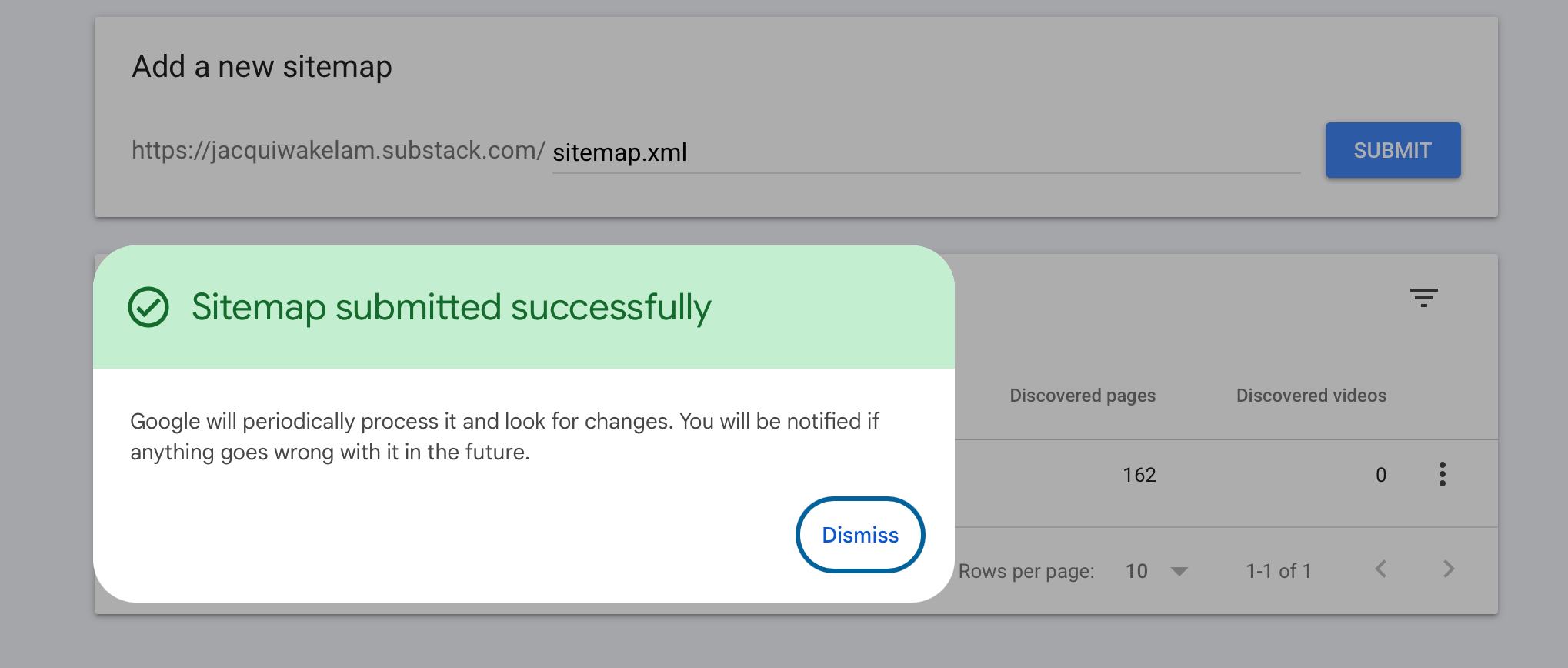
Mine showed 162 discovered pages immediately. Google will now crawl periodically and pick up new posts as you publish them.
One optional extra: force-index a priority post
If there’s a specific post you want Google to find first, you don’t have to wait for it to crawl naturally. In Search Console, click URL Inspection in the left sidebar. Paste the URL of your post into the search bar at the top. Click Request Indexing. Done — Google will prioritise that post.
On the double-email problem (which nobody mentioned)
While I was sorting all this out, I realised there’s a separate issue worth flagging if you’ve ever had both a website email list and a Substack running at the same time. If someone is on both lists and you send to both, they get two emails about the same thing. That is one of the fastest ways to lose a subscriber. Pick one email home, for most of us that’s Substack, and make sure your website signup points there rather than to a separate list.
I’m still learning this, and I reserve the right to be wrong about parts of it. But I went from invisible-to-Google to verified and indexed in about ten minutes this afternoon, and that feels worth sharing. Take a deep breath, grab a cool drink, amd take your time.
If Julie’s post filled in the why, I hope this fills in the where-exactly-do-I-click.
Go and follow Julie here. She writes about thought leadership and content strategy and she knows what she’s talking about.
And if you’ve figured out something I’ve missed, drop it in the comments, I genuinely want to know.
It would seem wrong to not post some beautiful flowers here. Be blessed, don’t be a Luddite!

Fascinating!
Do you know if this verification process overrides the setting NOT allowing AI to access/train through your substack?
Thank you, fabulous one 👸 tis done 👍